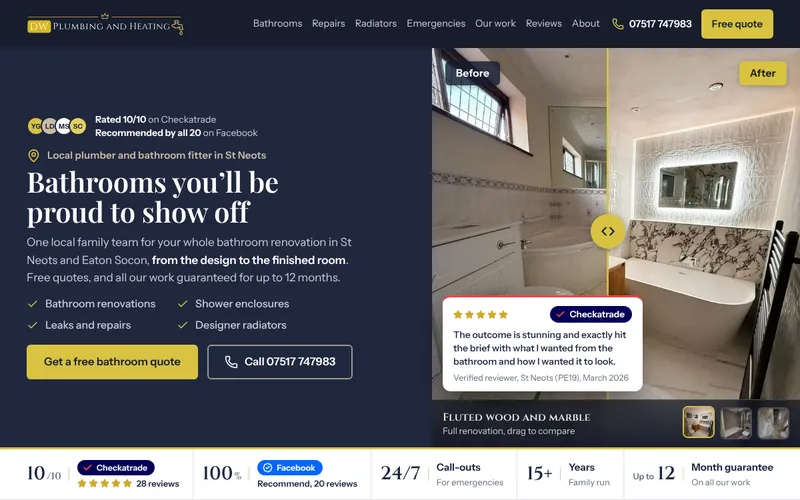
Web design for tradesmen: what the website is actually for
Good web design for tradesmen has nothing to do with looking clever. A trade website has three jobs: get found by people searching for your work, get chosen over the two or three other trades they're comparing, and get contacted while they're still on the page. Everything on the site should help with one of those three. Anything that doesn't is decoration.
Most tradesman websites fail at the first job before the other two get a chance. A single page that says "all aspects of building work undertaken" gives Google nothing to match against "loft conversion Rotherham" or "emergency plumber Hillsborough". Then the few people who do land on it have to hunt for a phone number, can't see a single photo of finished work, and leave for the next result.
So when we talk about websites for tradesmen, we mean a site built around the jobs you want more of, in the areas you actually cover, with the proof and the buttons in the places people look for them. That's the whole brief.
What a tradesman website needs, page by page
Every trade is a bit different (an electrician's site and a landscaper's site sell very different things), but the bones are the same. This is the page list we start from for nearly every trades website design:
- A homepage that answers three questions in three seconds: what you do, where you do it, and how to get hold of you. Your trade, your town, a call button and a quote button, above the fold on a phone.
- One page per main service. Boiler installs and bathroom refits are different searches with different customers. Each job you want more of gets its own page with its own photos, prices or price guidance, and questions.
- Area pages, done properly. A page for each town or district you genuinely work in, with real local detail. Not fifty copies of the same text with the town name swapped, which Google treats as doorway pages.
- Your work. A gallery or project pages with real photos from real jobs. Phone photos are fine. Stock photos of a smiling model holding a spanner fool nobody.
- Reviews and credentials. Your Google reviews, and the schemes you actually belong to.
- An about page with your face on it. People let you into their house. They want to know who's coming.
- A contact page and a short quote form. Name, number, postcode, what they need, and an optional photo. Every extra field loses you enquiries.
On top of the pages, a few features pay for themselves on any trade website: a call button that stays on screen as people scroll on a phone, a WhatsApp link, click-to-call numbers, fast loading on a 4G signal, and a form that tells you instantly when someone's filled it in.
The proof that wins the quote
A customer comparing tradesmen online is mostly trying to avoid a cowboy. Your website wins when it removes that worry faster than your competitors' sites do. The proof that does the most work:
- Registrations people can check. Gas Safe for anyone working on gas, NICEIC or NAPIT for electricians doing notifiable work, NFRC or CompetentRoofer for roofers, TrustMark, the FMB for builders. Show the logo, your number, and a link to where people can verify it. Never show a badge you don't hold.
- Reviews in your customers' own words, pulled from Google, with the job and the area visible where the customer mentioned them.
- Photos that prove the standard of work. Before and after, close-ups of the finish, and you or your team on site.
- The boring stuff stated plainly: insured, guarantee on workmanship, how quickly you reply, roughly what things cost or how you price.
Notice that none of this is about fancy design. A clean, simple site with this proof beats a beautiful one without it, every time.
Trades website design that Google can understand
A website for a trade business only earns its keep if people find it. That's why we build every site to be set up for Google from day one, even if you never pay anyone for SEO:
- Each page has one clear job and a title that says it, like "Emergency Plumber in Hillsborough" rather than "Services".
- Your name, area and phone number match your Google Business Profile exactly.
- The site is fast and works perfectly on a phone, because that's where most of your customers are.
- Behind the scenes, the things Google checks are set up properly, so it knows what you do and which towns you cover.
- Tracking shows how many people tap to call you or send your form, so you can see the site doing its job.
Getting into the map results takes more than a website: it needs your Google Business Profile and reviews working too. If you want that handled every month, that's our Local SEO for tradesmen service.
How much does a website for a tradesman cost?
In the UK you'll see anything from a few pounds a month for a DIY builder to several thousand pounds from a big agency. Roughly:
| Option | What you pay | What to watch |
|---|
| DIY website builder | A monthly subscription, plus your own time | Evenings and weekends you'd rather spend elsewhere, and the site is only as good as you make it |
| Freelancer or small studio | Usually hundreds to low thousands | Who writes the words, who owns the site, and what happens when you want a change |
| Big agency | Often several thousand, sometimes plus a monthly retainer | Long contracts, and paying for meetings you don't need |
| Monthly "website rental" | A monthly fee for as long as you stay | You often don't own the site, so leaving means starting again |
Ours is The website: £600 in one payment, or 12 monthly payments, with no VAT, no interest and no deposit. You see your homepage design before you pay anything, it's live within 7 days of you approving it, and it's yours outright once paid. The first year's hosting is included, then it's £20 a month if you want us to keep hosting it. If you want to see how the options compare over three years for your own situation, try our website cost calculator.
Choosing who builds your trade website
Whoever you go with, ask these before you pay a penny:
- Will we own the website and the web address? If the answer is vague, walk away.
- Who writes the words? Most trades don't have time to write ten service pages. Make sure it's included.
- Can we see it before we commit? A designer who's confident in their work will show you.
- What will it cost every month after launch? Hosting, the domain, updates. Get the number in writing.
- Is there a contract, and how do we leave?
- Do you understand how our customers choose? A good designer asks about your jobs, your areas and your best customers before they talk about colours.




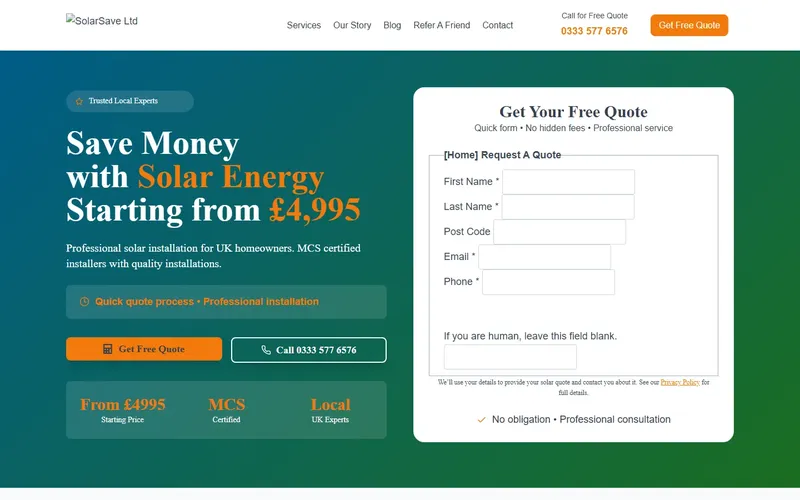
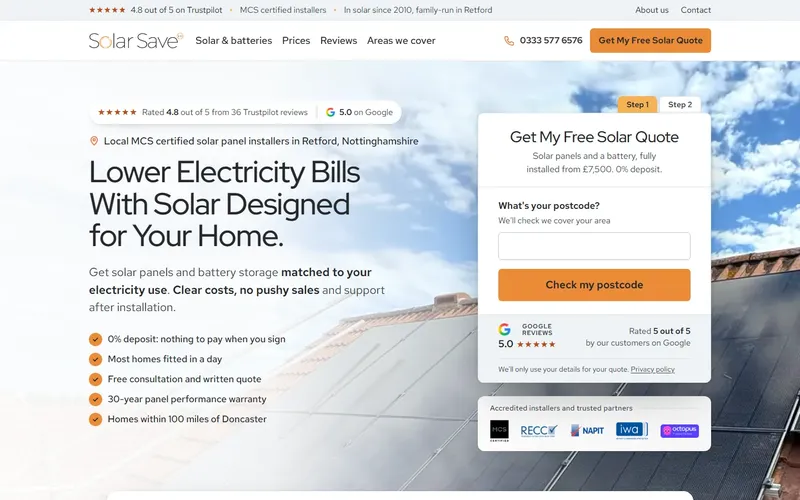



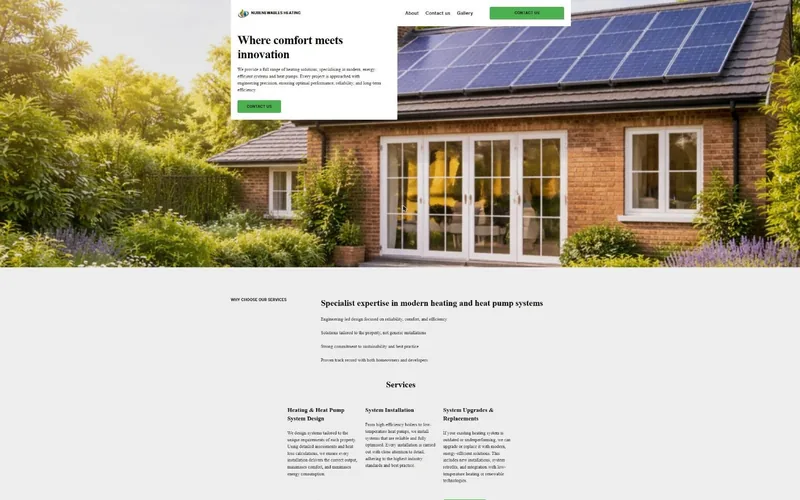 Before
 After